
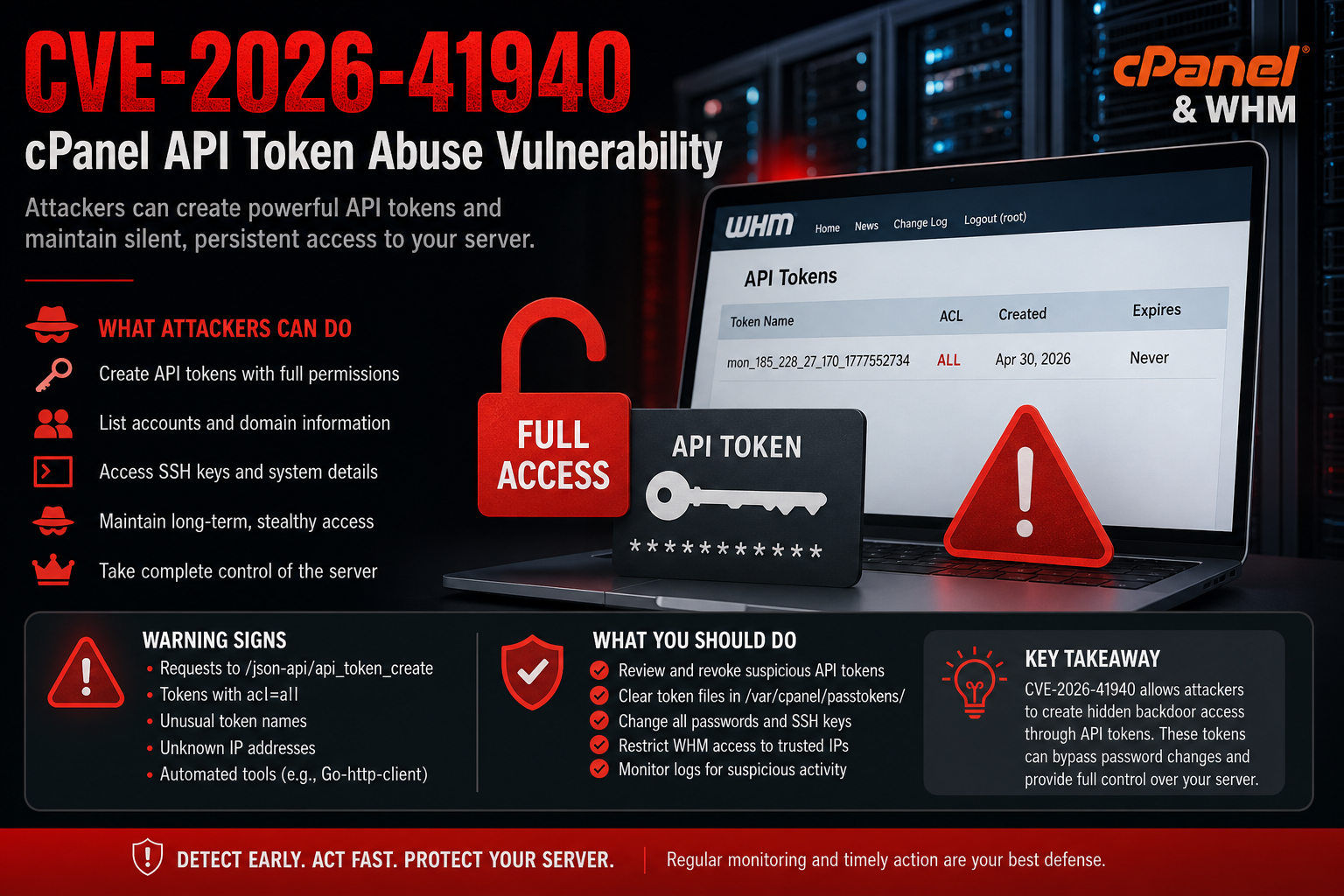
What is CVE-2026-41940?
CVE-2026-41940 is a serious security vulnerability affecting cPanel/WHM servers. It allows attackers to secretly create special access keys (called API tokens) that give them full control over the server — even without needing a password afterward.
What makes this issue particularly dangerous is that once these tokens are created, attackers can continue accessing the system quietly and persistently.
What Happens During an Attack?
Investigating the logs of the affected servers, here’s a simplified version of what likely happened:
An attacker gained access to the server (possibly using stolen credentials or another vulnerability).
They created multiple API tokens using automated requests.
- These tokens were given full administrative permissions.
- The attacker used these tokens to:
- View hosting accounts
- Check domain information
- Look at SSH keys (potential further access)
Signs of Compromise
1. Suspicious API Token Creation
You have repeated requests like:
api_token_create?acl=all
This means:
- New access keys were created
- They were given full control (ALL permissions)
2. Strange Token Names
Examples:
mon_185_228_27_170_1777552734 mon_srv2_adaptica_net_1777594857
These are not typical names an administrator would use. They look automated and structured — a common sign of malicious scripts.
3. Tokens Stored on the Server
You found files in:
/var/cpanel/passtokens/
These represent active access keys. Attackers rely on them to maintain access.
4. Ongoing Use of These Tokens
Logs show the attacker actively using the tokens to query the server:
- Listing accounts
- Gathering domain data
- Checking SSH keys
- This suggests they were exploring the system and preparing for deeper access.
Why This Is Dangerous
This vulnerability is not just about access — it’s about hidden persistence.
Even if you:
- Change the root password
- Enable additional security
The attacker can still get in using the API tokens.
In other words:
- Passwords can be changed
- Tokens remain valid unless removed
How to Check If Your Server Is Compromised
cPanel provides a script to help detect this:
https://raw.githubusercontent.com/CpanelInc/tech-CSI/master/csi.pl
Example output if you are compromised:
DANGER! – The jumpredis API Token has the ALL ACL enabled! \_ Token Name: mon_185_228_27_170_1777552734 Created: Thu Apr 30 15:38:54 2026 Expires: Never \_ACLS: allow-shell, allow-addoncreate, suspend-acct, add-pkg-shell, quota, ssl, connected-applications, list-pkgs, create-user-session, add-pkg-ip, track-email, ssl-buy, allow-unlimited-bw-pkgs, passwd, locale-edit, edit-pkg, manage-api-tokens, allow-unlimited-disk-pkgs, thirdparty, manage-styles, create-dns, restart, rearrange-accts, software-imunify360, allow-unlimited-pkgs, mysql-info, cpanel-api, basic-system-info, basic-whm-functions, public-contact, show-bandwidth, park-dns, kill-acct, acct-summary, wp-toolkit, manage-oidc, file-restore, edit-account, mailcheck, ns-config, add-pkg, edit-dns, limit-bandwidth, generate-email-config, assign-root-account-enhancements, manage-dns-records, ssl-gencrt, cpanel-integration, edit-mx, resftp, kill-dns, allow-emaillimits-pkgs, news, cors-proxy-get, viewglobalpackages, list-accts, demo-setup, all, upgrade-account, create-acct, ssl-info, digest-auth, clustering, stats, allow-parkedcreate, status
That confirms a high-risk compromise.
What You Should Do Immediately
If you see similar signs, act quickly:
1. Remove All Suspicious API Tokens
Delete any unknown or suspicious tokens from WHM.
2. Clear Token Files
Check and clean:
/var/cpanel/passtokens/
3. Change All Credentials
- Root password
- SSH keys (if possible)
- Any admin accounts
4. Restrict Access
- Limit WHM access to trusted IPs only.
5. Review Logs Carefully
Look for:
- Unknown IP addresses
- Repeated API activity
- Automated tools (like Go-http-client)